

Get Started With X1
Thank you for joining the Fulcrum community. X1 was designed to bring modern smart features to the watches you already love. This guide will help you get set up, connected, and ready to make the most of your device.
setup takes about 15 minutes.
Download The App
Sync, Customize, and View all your info in the Pivot app. Available now on iOS and Android.


Getting Started
Step 1: Charge Your X1
Plug the included USB-C cable into the X1 charger. Place your X1 face down on the charger and line up the charging pins. A full charge takes about 30 minutes. You can continue with the rest of the setup while your X1 charges.
Step 2: Pair Your X1
Download the Pivot app using the links above. Open the app and follow the on-screen steps to connect your X1. Once connected, your X1 will appear in your phone’s Bluetooth settings as a connected device. You can also rename your X1 in the app to make it easier to find later.
Step 3: Wear Your X1
Clean and dry the back of your watch. Make sure the surface is smooth and mostly flat. When your X1 is charged, take it off the charger. Place the X1 in the center of the back of your watch with the microsuction side facing the watch. Press firmly for a few seconds until the X1 is secure. Wear your watch so it fits snugly. The X1 should stay in contact with your skin throughout the day for the best measurements. X1 works with both watch straps and metal bracelets. If you wear a metal bracelet, you may need to add or remove links for a better fit.
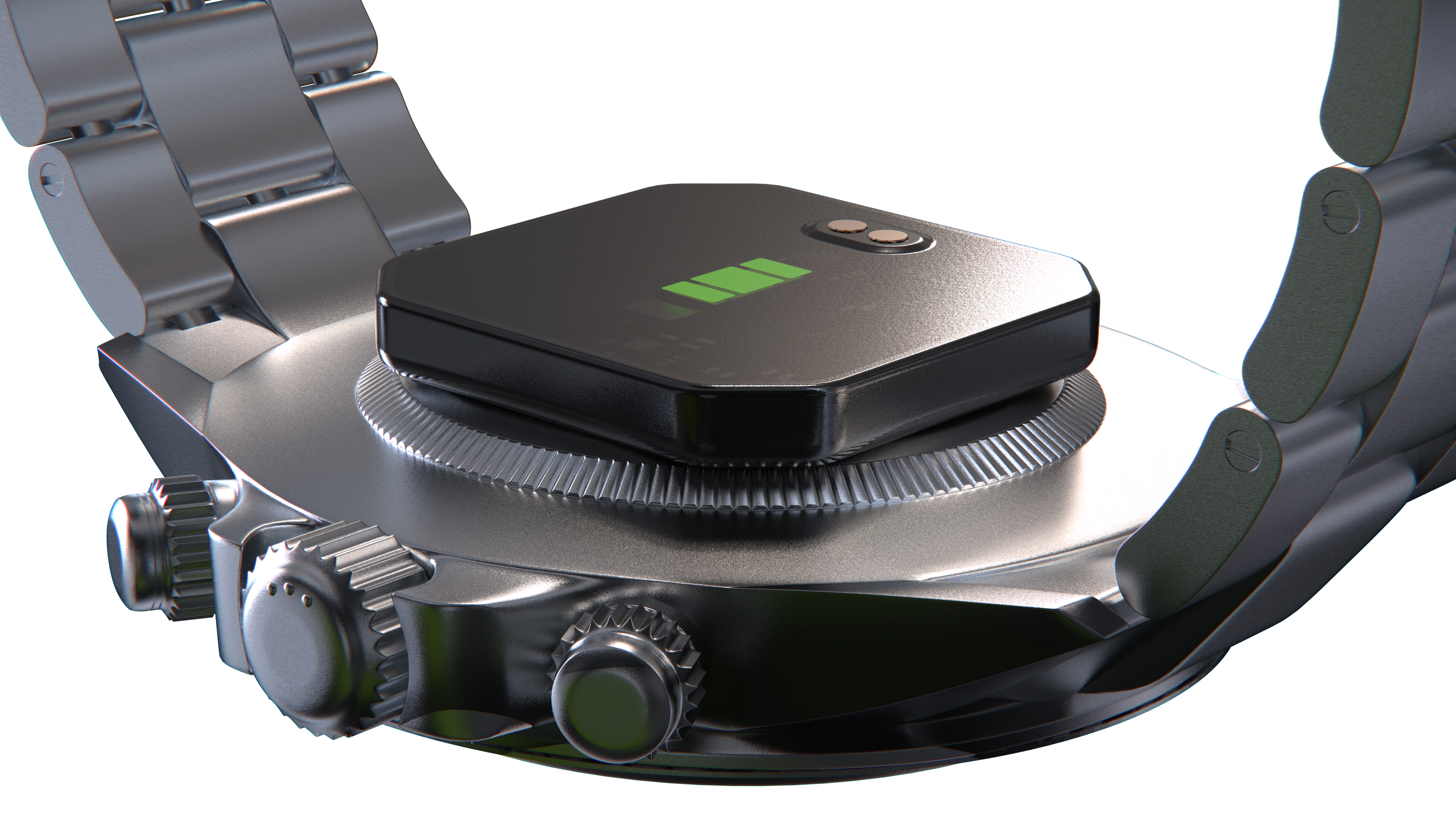
You can move your X1 between compatible watches or to the included sleep band at any time. To remove the X1, gently lift around the edge of the device. Do not pull from the center. The sleep band includes both a silicone strap and an elastic strap. It also works with any standard 18 mm watch strap. The microsuction surface can be replaced if needed. See the Microsuction Replacement Guide for instructions.
Step 4: Sync Your X1
First Sync
Wear your X1 for about one hour. Your first health data should then appear in the Pivot app. Open the app to view your dashboard and explore your health insights. If your X1 has been away from your phone for a while, tap Sync at the top of the Home screen to update your latest data.
Welcome, Founding User!
Thank you for being one of the first people to experience Fulcrum X1. Your feedback and support are helping shape the future of the platform.
Frequent Improvements
Regular updates based on your feedback
Growing Platform
New features added continuously
Direct Impact
Your voice shapes the product
What's Coming to the X1 Platform
Currently in Development
Future Exploration
Help Shape Fulcrum
Every bug report and feature request is reviewed by the Fulcrum team.